
SaaS companies need more than a good product to grow through Google. They need to understand what potential customers search for, which competitors already attract those customers, and what makes someone choose one software product over another. The right SaaS SEO tools can help answer these questions with useful data instead of guesswork.
However, buying several expensive platforms does not automatically improve rankings. A small software startup may need only a few tools to research keywords, monitor indexing, and improve important pages. A larger company may also need content optimization, competitor analysis, and conversion tracking.
The real goal is to build an SEO workflow that connects search visibility with business growth. This guide explains seven useful tools, their strengths and limitations, and how to choose a practical setup without wasting your budget.
What Makes SaaS SEO Tools Different?
SaaS SEO has a different challenge from simply attracting visitors to a general information website. Software companies often need to reach people at several stages of a buying journey, from someone researching a problem to someone comparing products before purchasing a subscription.
For example, a person searching for “what is project management software” probably needs an explanation. Someone searching for “Asana alternatives” is comparing products, while a person searching for “project management software for remote teams” may be closer to choosing a solution. Each query requires a different type of page and a different approach to content.
Effective SaaS SEO tools help identify these differences. Keyword research platforms reveal search demand and competing pages, while technical crawlers identify problems that can prevent important pages from being discovered. Content tools help writers cover relevant questions, and analytics platforms show whether visitors actually engage with the website.
Another important consideration is the relationship between product pages and educational content. A SaaS company might publish useful tutorials but neglect its pricing, integration, feature, and comparison pages. Those neglected pages can represent valuable opportunities because they address users evaluating a solution.
The best toolset therefore supports the complete journey: discovering demand, creating relevant content, maintaining a technically accessible website, and measuring meaningful results. It should also help teams identify which work deserves attention first rather than producing endless reports that nobody acts on.
Best SaaS SEO Tools Compared
Choosing software becomes easier when each platform is evaluated according to a specific job. Some products specialize in competitor research, others focus on technical crawling, and some help writers improve existing content. Instead of assuming one platform can solve every SEO problem, compare the available options against your current priorities.
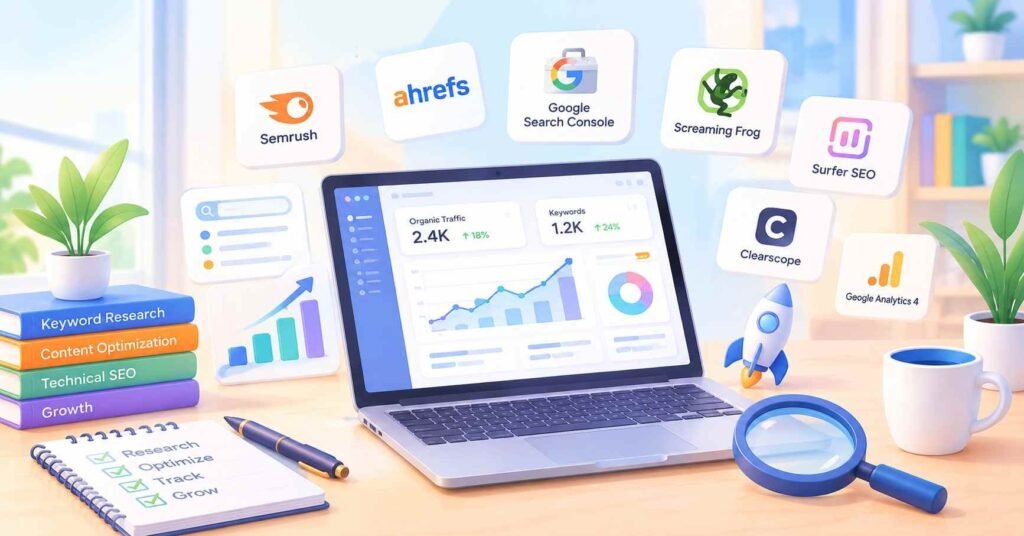
Semrush is a useful option for teams that want keyword research, competitor analysis, rank tracking, and site auditing within one platform. It can help identify keywords competitors rank for and reveal topics your website has not covered adequately.
Ahrefs is particularly useful for backlink analysis, organic competitor research, and discovering keyword opportunities. Its content gap features can reveal searches where competing websites receive visibility but your own website does not.
Google Search Console is essential for understanding how Google Search performs for your website. It provides information about impressions, clicks, search queries, indexing, and individual page performance. Its data is particularly useful when deciding which existing pages deserve improvement.
Screaming Frog SEO Spider helps technical teams crawl websites and investigate broken links, redirect chains, duplicate page elements, and other structural issues. It becomes especially valuable when a growing website contains hundreds or thousands of URLs.
Surfer SEO helps content teams develop briefs and assess how thoroughly an article covers relevant topics. Clearscope offers another content optimization approach, emphasizing topical coverage and editorial quality.
Google Analytics 4 helps businesses understand what visitors do after arriving on their websites. When conversion events are configured correctly, teams can measure actions such as trial registrations, demo requests, and signups.
These platforms serve different purposes, so the best choice depends on your needs. A startup might begin with Google Search Console and one research platform. A larger team may combine technical crawling, content optimization, and reporting software. Before paying for overlapping subscriptions, identify the specific task each product will perform and the result you expect from it.
Tools for High-Intent Keyword Research
Keyword research is more useful when it identifies potential customers rather than simply generating a long list of popular phrases. A SaaS company selling invoicing software, for example, needs to understand the difference between someone researching invoices for educational purposes and someone actively comparing invoicing platforms.
Start by collecting seed terms related to your product, its features, the problems it solves, and the industries it serves. Tools such as Ahrefs and Semrush can expand these terms into related queries and provide estimated search volumes, keyword difficulty scores, and competing URLs. These metrics help prioritize opportunities, but they should not be treated as exact predictions of traffic or rankings.
Next, examine the search results for each important query. If Google primarily displays tutorials, a detailed informational article may be appropriate. If the results contain product comparisons, review pages, and software directories, searchers probably want help evaluating available solutions. Matching the format to that intent is more useful than repeating a keyword throughout an unrelated page.
A particularly valuable technique is to analyze competitors at the page level. Find pages attracting relevant organic traffic, inspect the questions they answer, and identify missing information that matters to your audience. You might discover opportunities around industry-specific software, integration compatibility, implementation costs, or limitations that competing articles barely explain.
For SaaS SEO tools to deliver meaningful value, keyword research should also consider commercial relevance. A keyword with modest search demand may attract visitors who are much more likely to request a demo than a broad, high-volume phrase. Evaluate the likely customer, the problem behind the search, and whether your product genuinely solves it.
Finally, group closely related queries into logical topic clusters. Create one comprehensive page when multiple searches express the same need, and separate pages when their purposes differ substantially. This approach can improve site organization, reduce unnecessary content duplication, and help search engines understand the relationship between educational resources and product pages.
SEO Tools for SaaS Content Optimization
Content optimization is not about inserting as many keywords as possible or achieving a perfect score in a software dashboard. Its purpose is to make a page more relevant, complete, understandable, and useful for the person searching. A well-optimized article should answer the main question early and then provide enough detail to resolve the reader’s practical concerns.
Tools such as Surfer SEO and Clearscope can help editors examine competing pages, identify related concepts, and develop content briefs. These suggestions are useful starting points, not mandatory instructions. A competitor may rank despite having a weak article, and copying its headings will not necessarily create a better resource.
For example, an article about choosing CRM software should explain how businesses can compare contact management, automation, reporting, integrations, and implementation requirements. Simply repeating phrases such as “best CRM software” will not help a reader determine which option fits their team.
Effective content optimization should go beyond automated recommendations. Review the questions buyers ask during product demonstrations, common customer support requests, onboarding difficulties, and reasons prospects reject a solution. These sources can reveal information gaps that conventional keyword tools may not fully explain.
Another useful technique is to improve existing content before commissioning dozens of new articles. Check pages that receive impressions but attract few clicks, pages ranking near the bottom of the first two result pages, and articles that no longer reflect the product’s current capabilities. Update outdated facts, improve explanations, add relevant examples, and connect related resources through useful internal links.
Content should also serve a clear purpose within the website. Educational articles can introduce a problem, comparison pages can help readers evaluate options, and product pages can demonstrate how the software solves a particular need. Internal links should connect these pages naturally rather than forcing visitors through an arbitrary sequence.
The final test is straightforward: can a reader make a better-informed decision after reading the page? If the content only repeats familiar advice, adding more words or optimization scores will not fix the underlying problem. Original explanations, accurate information, practical examples, and clear answers provide a much stronger foundation.
Technical SEO Tools for Software Websites
Technical SEO matters because search engines need to discover, crawl, render, and understand the pages you want them to show in search results. A website can publish excellent content yet struggle to gain visibility if important pages are blocked from crawling, contain incorrect canonical tags, or have confusing internal links.
Screaming Frog SEO Spider can crawl a website and help identify broken URLs, redirect chains, missing titles, duplicate metadata, and other technical issues. Google Search Console complements this process by providing Google-specific information about indexing and search performance. Neither tool replaces the other: one helps investigate a site’s structure, while the other provides information from Google’s systems.
Technical problems can be particularly complicated for software companies with product documentation, integration directories, feature pages, customer portals, and dynamically generated URLs. Filters and parameters may create many URL variations, while outdated product pages may remain accessible after features change. Teams should review which URLs deserve indexing and which should be consolidated, redirected, or excluded where appropriate.
Page experience also deserves attention. Google’s PageSpeed Insights can help investigate loading performance and Core Web Vitals, then guide developers toward potential improvements. Heavy scripts, oversized images, unnecessary third-party widgets, and poorly implemented application rendering can all deserve investigation, depending on the website.
An important distinction is that finding an issue does not automatically mean it is responsible for poor rankings. Some warnings have little practical impact, while a blocked product page or an incorrect canonical may deserve immediate attention. Prioritize problems by their effect on users, crawlability, indexability, and important business pages.
A sensible workflow starts with a complete crawl, followed by verification in Search Console and a review of key templates. Fix critical issues first, check the affected URLs again, and monitor the results. Repeat this process after major website releases, migrations, or changes to the content management system.
Free SEO Tools for SaaS Startups
Startups often have limited marketing budgets, and paying for several premium subscriptions before validating a strategy can create unnecessary costs. A free toolkit can provide a useful foundation while the team learns which research and reporting capabilities it actually needs.
Begin with Google Search Console to monitor search impressions, clicks, click-through rates, queries, and page performance. It also helps investigate indexing issues. Google Analytics 4 can provide information about visitor behavior and configured conversion events, helping the team understand what people do after arriving on the website.
Bing Webmaster Tools offers additional search performance and site diagnostic features for Microsoft’s search ecosystem. PageSpeed Insights helps assess page performance and identify possible improvements. These tools address different parts of the SEO process and can complement each other without requiring an expensive all-in-one subscription.
For keyword discovery, use the free access or limited features available from research platforms when suitable. However, understand the restrictions before relying on them. Free plans may limit reports, historical data, tracked keywords, crawl capacity, or the number of searches you can perform. Google Search Console reports queries associated with your own site’s performance; it is not a substitute for comprehensive competitor keyword databases.
The most practical starter stack is often Search Console, Analytics, PageSpeed Insights, and one carefully selected research tool. A WordPress website may also benefit from a suitable SEO plugin for managing titles, canonical URLs, XML sitemaps, and other on-page settings. Avoid installing multiple plugins that perform the same jobs.
As the business grows, upgrade only when a clear limitation is slowing down the work. For instance, a growing content team may need large-scale competitor analysis, while a site with thousands of pages may require more advanced crawling and monitoring. This approach keeps spending connected to actual requirements rather than the number of features advertised on a pricing page.
Track Rankings, Signups, and Organic Growth
Ranking reports can show whether your website is gaining visibility, but they do not tell the whole story. A SaaS business ultimately needs to understand whether organic visitors become trial users, demo requests, qualified leads, or paying customers. Measuring these outcomes helps teams decide which SEO activities deserve further investment.
Use Google Search Console to review impressions, clicks, click-through rates, and the queries that bring visitors to important pages. If a page receives many impressions but few clicks, inspect its title, description, search intent, and competing results. If clicks are increasing but conversions remain low, investigate whether the page attracts the right audience and provides a clear next step.
Google Analytics 4 can help measure what visitors do after landing on the site. Configure relevant events for actions such as starting a trial, submitting a demo form, or completing a signup. Make sure the events are implemented and tested correctly; otherwise, reports may misrepresent actual business performance.
For more advanced reporting, connect SEO performance with a CRM when possible. This can help the marketing team understand whether organic leads progress through the sales pipeline and become customers. Attribution is not always straightforward, particularly when buyers return through different channels or take weeks to make a decision. Reports should acknowledge these limitations rather than crediting every sale to a single visit.
Modern SaaS SEO tools may also offer rank tracking and AI search visibility monitoring. These features can help teams observe changes in traditional search positions or investigate how frequently their brand appears in supported AI search experiences. However, AI visibility metrics vary by provider and should not be treated as direct evidence of leads or revenue.
Build a monthly report around a small number of meaningful indicators: organic clicks, qualified conversions, landing-page performance, relevant keyword trends, and technical issues resolved. Compare results over consistent periods and account for seasonality, website changes, and conversion delays.
Most importantly, connect each report to a decision. If a comparison page generates qualified demos, consider improving it and creating closely related resources. If an article attracts irrelevant visitors, reassess its intent and audience. Reporting is valuable when it guides the next action, not simply when it produces more charts.
Also Read: How Chip Support Library Helps Android Systems Run Better
How to Choose the Right SaaS SEO Stack
The right setup depends on your website’s size, team capabilities, growth stage, and immediate objectives. A startup trying to validate demand has different requirements from an established software company managing hundreds of product and integration pages. Start by identifying your biggest constraint instead of choosing software based on popularity alone.
For an early-stage business, a practical setup could combine Google Search Console, Google Analytics 4, PageSpeed Insights, and one keyword research platform. This provides basic visibility into search performance, user behavior, technical performance, and market opportunities. A premium content optimization tool can wait until publishing volume and editorial requirements justify the expense.
For a growing company, competitor analysis and structured rank tracking may become more important. Semrush or Ahrefs can help uncover content gaps and competitive opportunities, while Screaming Frog can support deeper technical investigations. Teams publishing large amounts of content may also benefit from an optimization platform, provided editors use it to improve substance rather than chase scores.
When evaluating SaaS SEO tools, consider five practical questions:
- Coverage: Does the platform solve a real problem in your current workflow?
- Accuracy: Can its recommendations be checked against reliable data?
- Usability: Can your team interpret the reports and act on them?
- Integration: Does it work with your CMS, analytics, and reporting systems?
- Cost: Will the time saved or opportunities discovered justify the subscription?
Run a small test before committing to an annual plan. Use the platform to investigate a few priority pages, compare the findings with your existing data, and determine whether it reveals useful opportunities that you could not easily identify otherwise.
Avoid buying overlapping subscriptions simply because each advertises a long list of features. A focused stack with clear responsibilities is often easier to maintain and produces more actionable insights than a collection of disconnected dashboards.
The strongest setup is the one your team can use consistently. Choose tools that support your current priorities, establish a repeatable workflow, and expand the stack only when measurable needs emerge. That approach makes SEO easier to manage while keeping the budget focused on meaningful improvements.
Frequently Asked Questions
What are SaaS SEO tools used for?
SaaS SEO tools help software companies research keywords, analyze competitors, optimize content, identify technical problems, and measure organic search performance. Some platforms focus on a single task, while others combine several functions. The best option depends on your website and business goals.
Which SEO tool is best for a SaaS startup?
There is no single winner for every startup. Google Search Console is an essential free starting point, while Semrush and Ahrefs are useful for broader keyword and competitor research. Start with the capabilities you need most and expand your toolkit when necessary.
Can free SEO tools help a SaaS website rank?
Yes. Free tools can help identify search performance issues, monitor indexing, evaluate page speed, and understand visitor behavior. However, advanced competitor databases, extensive rank tracking, and large-scale website audits may require paid subscriptions. Results still depend on content quality, technical health, competition, and relevance.
How many SEO tools does a SaaS company need?
A small business can often begin with three or four complementary tools. Larger teams may need additional platforms for technical crawling, content optimization, reporting, and conversion attribution. The aim is to cover essential tasks without paying for redundant features.
Do SEO tools guarantee higher rankings?
No. SEO tools provide data, diagnostics, and recommendations, but they cannot guarantee ranking improvements. Their value depends on whether the information is accurate, the recommendations suit the website, and the team implements meaningful changes.
Are AI SEO tools enough for SaaS content creation?
AI-assisted tools can speed up research, outlining, and editing, but they should not replace subject knowledge or editorial judgment. Useful content still requires accurate explanations, original insights, practical examples, and a clear understanding of the reader’s problem.
Final Thoughts
Choosing the right software is less about collecting features and more about building a reliable process. Begin with your audience’s search needs, improve your most important pages, maintain a technically accessible website, and measure whether organic visitors take meaningful actions.
The most effective SaaS SEO tools support these activities without making the workflow unnecessarily complicated. A focused selection of research, technical, content, and analytics tools can provide a stronger foundation than an expensive collection of platforms used inconsistently.
Review your results regularly, invest in the areas where genuine limitations emerge, and let evidence guide your next steps. Sustainable organic growth comes from combining useful content, sound technical decisions, and consistent measurement—not from any single subscription.
